In Rackbeat, you can create and edit different units of measure for your products, such as Pieces, Kilograms, Liters, or any other units that fit your workflow. This gives you the flexibility to tailor units exactly to your business needs.
Where do I find units?
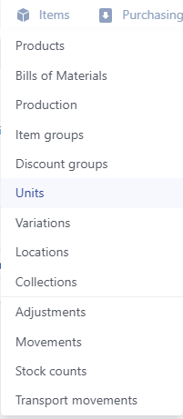
You can find the Units feature in the Products module. Go to the Items tab at the top of the screen and select Units from the menu.
How to Create a New Unit
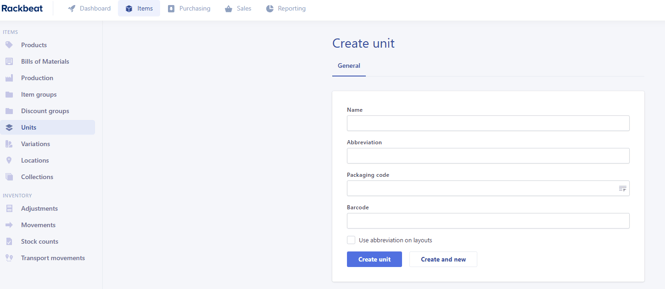
- Click "Create New".
- Fill in the following information:
- Name: The name of the unit (e.g., Piece, Liter, Package).
- Abbreviation: The abbreviated designation (e.g., pcs, l, pkg).
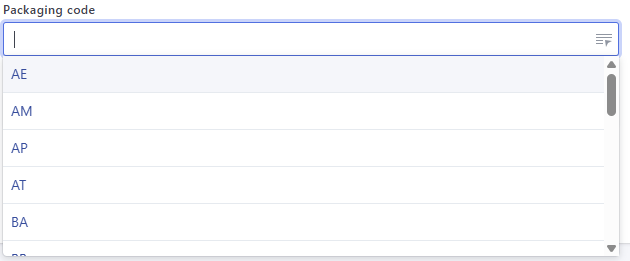
- Packaging Code (optional): Select the relevant packaging code for the unit.
- Barcode (optional): If the unit has a barcode, you can enter it here.
- Specify whether the abbreviation should be displayed on PDF layouts sent to customers and suppliers by enabling the "Use Abbreviation on Layouts" option.
- Click "Create Unit" to save.
Editing Existing Units
You can edit an existing unit at any time by following these steps:
- Go to the Units overview.
- Click the Edit icon next to the unit you want to modify.
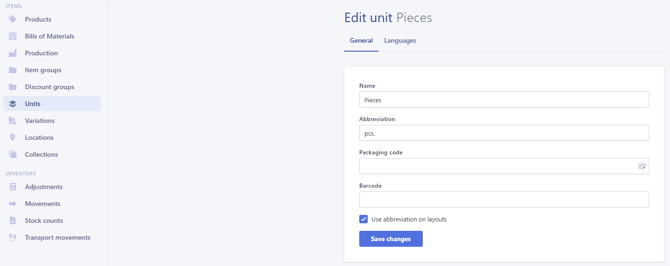
- Edit and Save changes
FAQ
What Are Packaging Codes and Why Should I Select One?
Packaging codes are used to specify how a product is packaged. This can be a requirement for transport and customs purposes—especially when trading within or outside the EU.
The codes ensure that information is clear, consistent, and correct during import and export processes.