Create and edit delivery terms
-
Hover over your company name in the top-right corner and select “Company Settings”
-
Click “Delivery Terms” in the left-hand menu.
-
Click “Create New”
-
Enter the name and description of the delivery term.
-
Click “Create Delivery Term” to finish, or “Create and New” to create another one.
Where will the delivery terms appear?
Your delivery terms will be displayed on the PDF that is sent to the customer. Please see below:
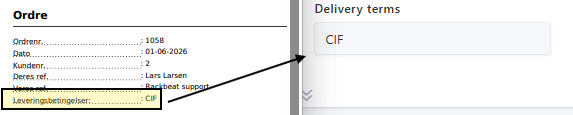
Leveringsbetingelser med integrationer
If you use Shipmondo or Webshipper, you can map your delivery terms to the integration.
Shipmondo
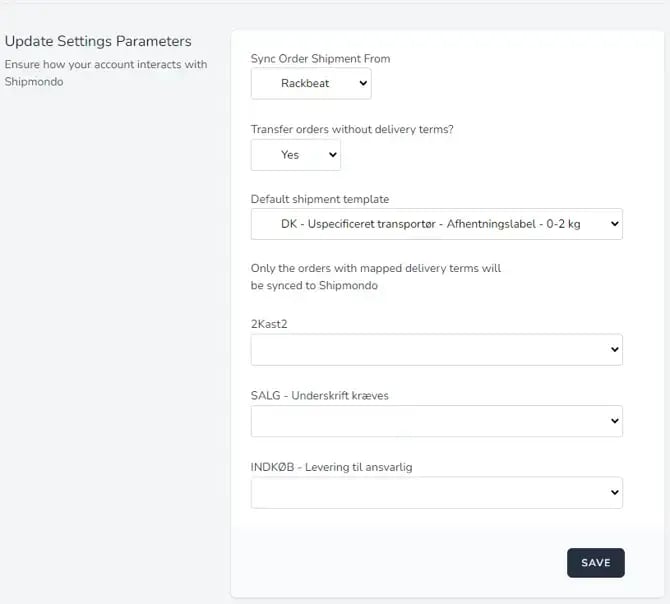
Once the delivery terms have been created in Rackbeat, they will be available in the integration.
From there, you can map them to the corresponding existing delivery terms in Shipmondo:
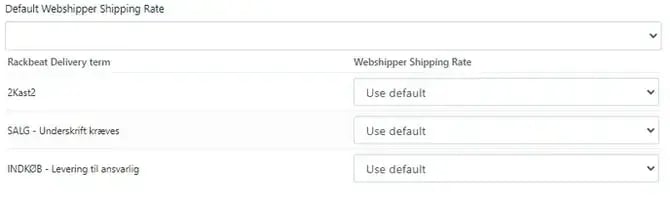
Webshipper
Once the delivery terms have been created in Rackbeat, they will also be available in the integration.
From there, you can map them to the corresponding shipping rates in Webshipper: