If you have one or more orders that have not been transferred to Rackbeat from Shopify, you can use this guide to manually transfer them.
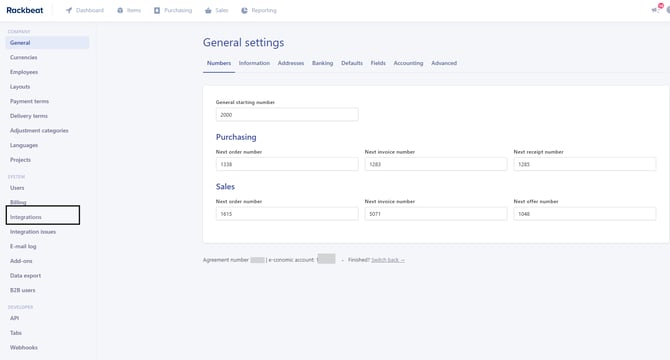
1. Click on Company Settings
Log in to Rackbeat and navigate to your company settings
.webp?width=223&height=211&name=image-png-Jan-05-2024-01-38-35-2585-PM%20(1).webp)
2. Click on Integrations
On the left side, you can navigate to your "Integrations:"
3. Find Woocommerce
Locate and click on your Woocommerce Settings in the list of apps.
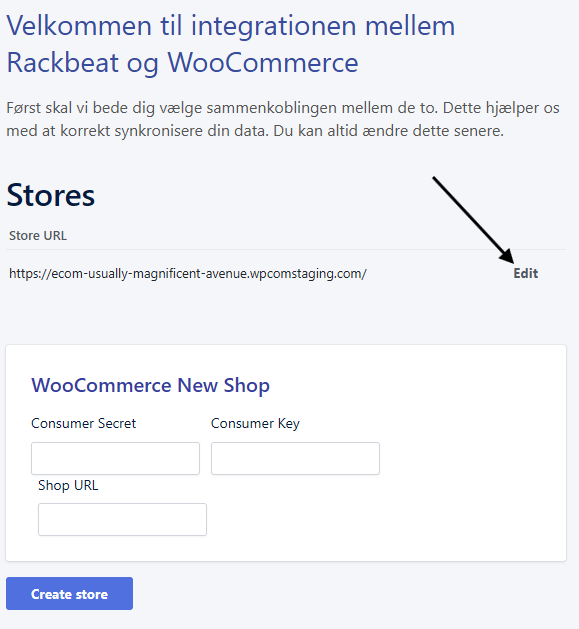
4. Click on Your Store
Then, select your store:
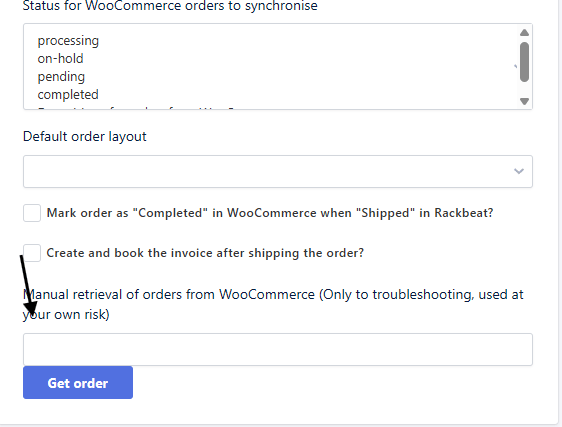
5. Get order
Insert order number from Woocommerce in this field, and clikc Get order.
The order is still not being transferred
Go to Company Settings → Integration Issues.
Here you can see the cause of the error and possibly 'Try again' to push them over manually.
Alternatively, please refer to our guide, where we review possible errors related to order transfer:
WooCommerce: My orders are not being transferred to Rackbeat