How to transfer a BOM to your webshop
1. Ensure correct setup in the integration
Before you begin, make sure that Rackbeat is set as the master for products in your integration.
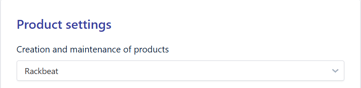
This is important to ensure that the product (and later the BOM conversion) is transferred correctly to the webshop.
2. Create the product
-
Go to Items → Products
-
Click Create new product
-
Fill in the product with:
-
The same item number as the BOM number
-
The same name as the BOM name
-
-
Save the product.
This product will then be converted into a BOM.
3. Convert the product to a BOM
-
Find the product you just created in the overview.
-
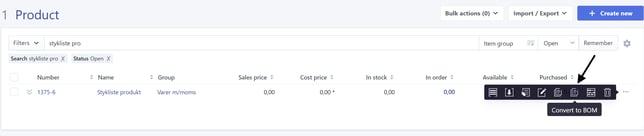
Hover over the three dots on the right-hand side and select Convert to BOM.
-
Add the desired items to the BOM setup.
-
Save.
Your BOM will now be synchronized with the webshop, and the data will be transferred as a regular product.