- Start with selecting "Purchasing" in the top bar
- Click "Supplier groups" in the menu
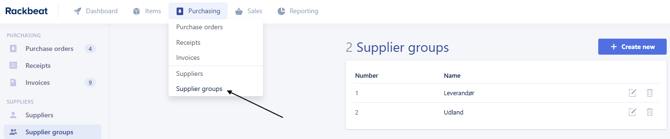
- Click "Create new" in the upper right corner
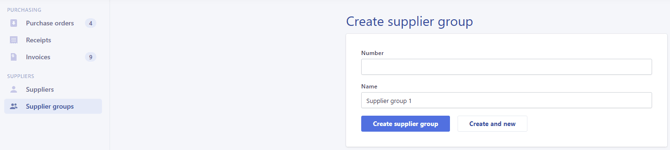
- Enter a name and (optional) number of the supplier group
- Please note! If you leave 'Number' blank, Rackbeat will automatically generate a number
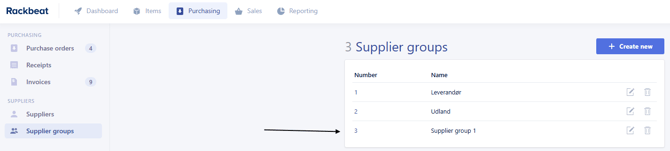
Click "Create new supplier group" to finalize
Note: If your Rackbeat agreement is integrated with e-conomic your supplier groups will be synchronized between both systems so they are always appear in both places.