You can easily create a credit note on your supplier invoices; below we will show you how to do this.
If you need to create a credit note without an existing supplier invoice, click here to see how you do it.
Create a Supplier Credit Note without an associated supplier invoice
- Click on "Purchasing" in the menu in Rackbeat
- Find invoices: Click on invoices in the menu and filter “Booked” in the “Archived” filter box, to find your booked supplier invoices.
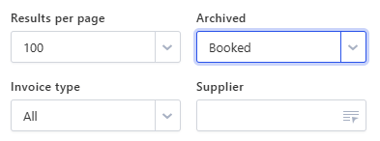
- Locate the invoice from which you would like to create a credit note
- Hold the cursor over 'the three dots' to the right and select "Create credit note"

- If necessary, write a note and heading for the credit note
- Select the quantity you wish to credit
If there is products that you don't want to credit, it's possible to delete them by clicking the "X" to the right on the product line
- Book the credit note: Before you book the credit note you have to choose whether the products should be reversed or not, by checking or unchecking "Should inventory be reversed?"
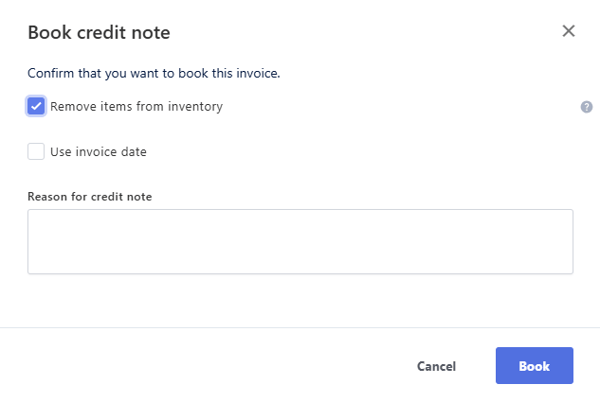
- You can state reason for credit note, but not mandatory
- Press "Book" to finalize the credit note
Tip: You find all credit notes under “Invoices” in the menu and select "Credit note" in the box “Type”.
Create a Supplier Credit Note without an associated supplier invoice
If you need to create a supplier credit note without an associated supplier invoice, this can be done by entering the quantity as a negative value.
To get started:
- Open Purchases: Navigate to → Supplier Invoices.
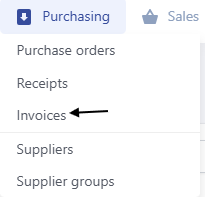
- Create new: Create a new invoice in the same way you would create a normal supplier invoice.

- Create invoice lines: Add the relevant item lines to your invoice.
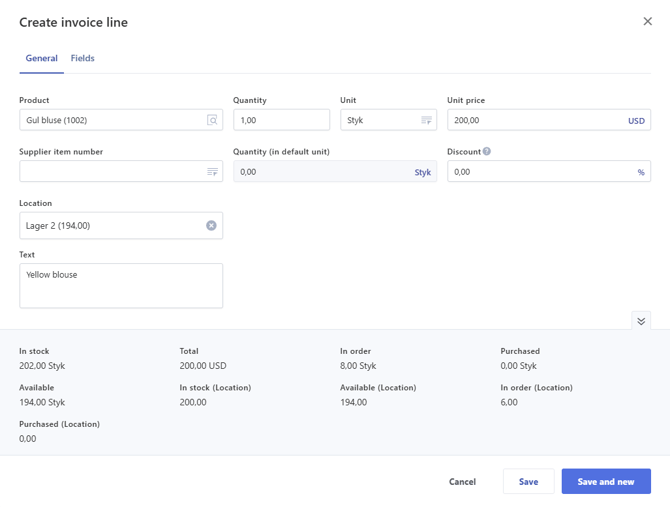
- Convert to Credit Note: Change the quantity on the item lines to a negative value to convert the invoice into a credit note, for example -1.
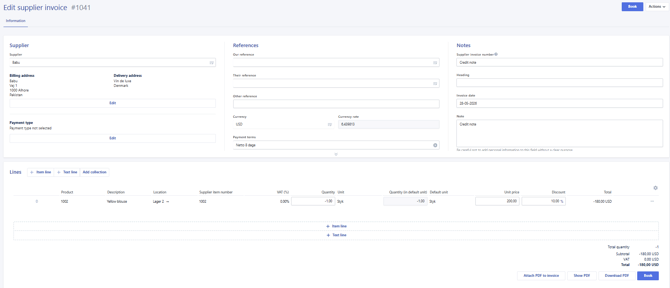
- Book credit note: Book the credit note and decide whether the items should be removed to inventory.
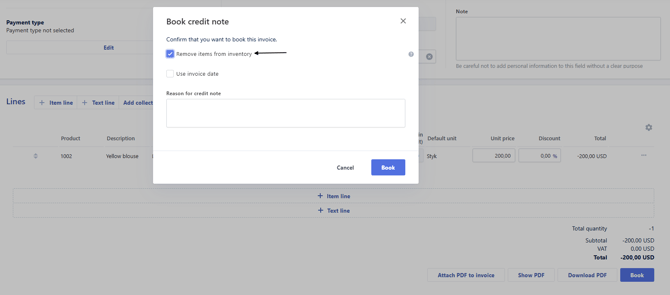
You have now converted a normal supplier invoice into a credit note.
I forgot to adjust the inventory and my credit note has already been booked — what do I do?
If you forgot to adjust your inventory when booking the credit note, you will need to create a stock adjustment in order to remove the items from inventory.
You can read more about stock adjustments here: How to make adjustments (inventory amount/cost price)