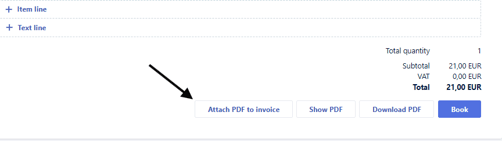
Attach PDF to invoice
This PDF will be transferred to e-conomic as an attachment together with the Rackbeat invoice.
Please note that the maximum size of the PDF file is 5 MB.
- Open the invoice.
- Go to the bottom of the page.
- Click “Attach PDF to invoice”.
- Drag the desired PDF into the field, or click the field and select the file from your computer.
- The attachment will now be attached together with Rackbeat’s PDF.
- Click “Show PDF” to view both attachments.
You can also add or remove the supplier’s PDF invoice directly in the “Attached PDF” field.
Here’s how:
- Open the supplier invoice.
- Find the dropdown menu under Terms of payment.
- Click the two arrows to open the dropdown menu.
- Find the “Attached PDF” field
- Drag the supplier’s PDF invoice into the field, or click the field and select the file from your computer.

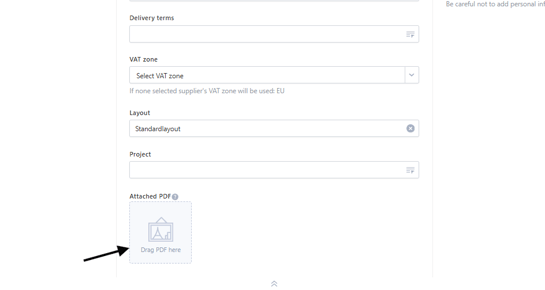
Once the file has been added, it will be attached to the supplier invoice.
Link document from e-conomic
Requires the e-conomic integration.
This PDF will replace Rackbeat’s attachment in e-conomic and automatically mark the document as “Processed” in e-conomic.
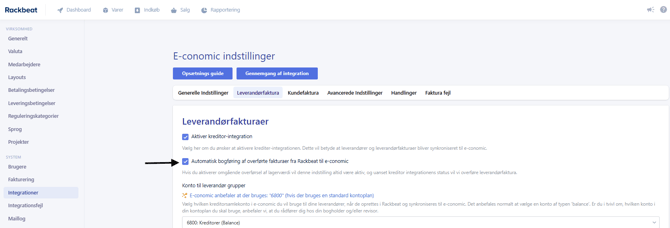
This feature requires automatic booking of supplier invoices to be activated in the e-conomic integration.
Here’s how to activate automatic booking:
- Go to Company settings > Integrations.
- Click “Settings” next to e-conomic.
- Go to the Supplier invoice tab.
- Make sure “Automatisk bogføring af overførte fakturaer fra Rackbeat til e-conomic” is activated.
How to link a document from e-conomic’s Smart Inbox
- Open the supplier invoice.
- Go to the bottom of the page.
- Click “Link document from e-conomic”.
- This will open a window that reads documents from your Smart Inbox in e-conomic.
- Select the relevant document from the overview.
- You can see a preview of the document in the overview.
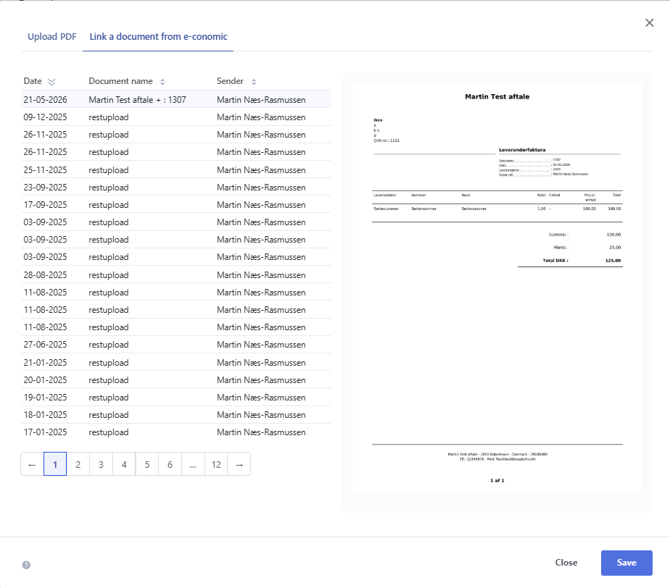
- Finish by clicking Save.
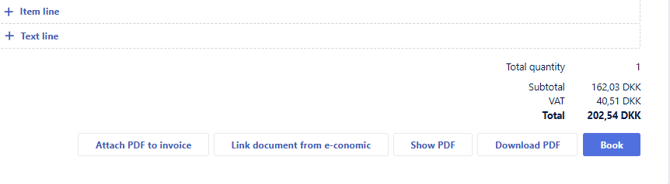
Please note: The linked attachment is not displayed when you click “Show PDF”. This will display Rackbeat’s own PDF.
However, when the invoice is transferred to e-conomic, only the linked attachment is attached to the entry. Rackbeat’s PDF is therefore not sent as an attachment in e-conomic.
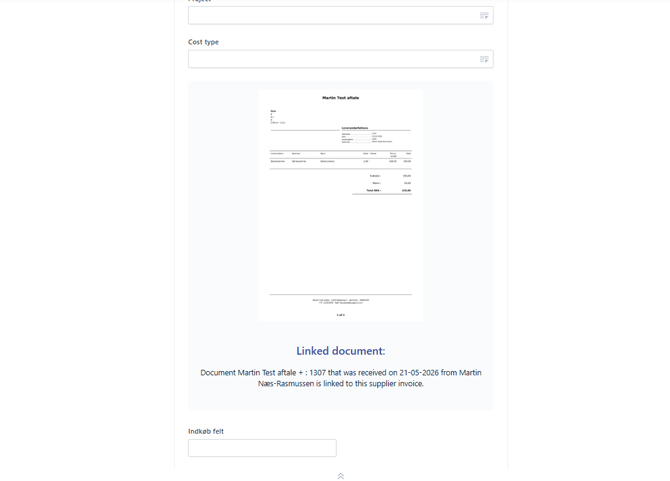
Once the document has been linked, you can see it in the Attached PDF field on the supplier invoice.